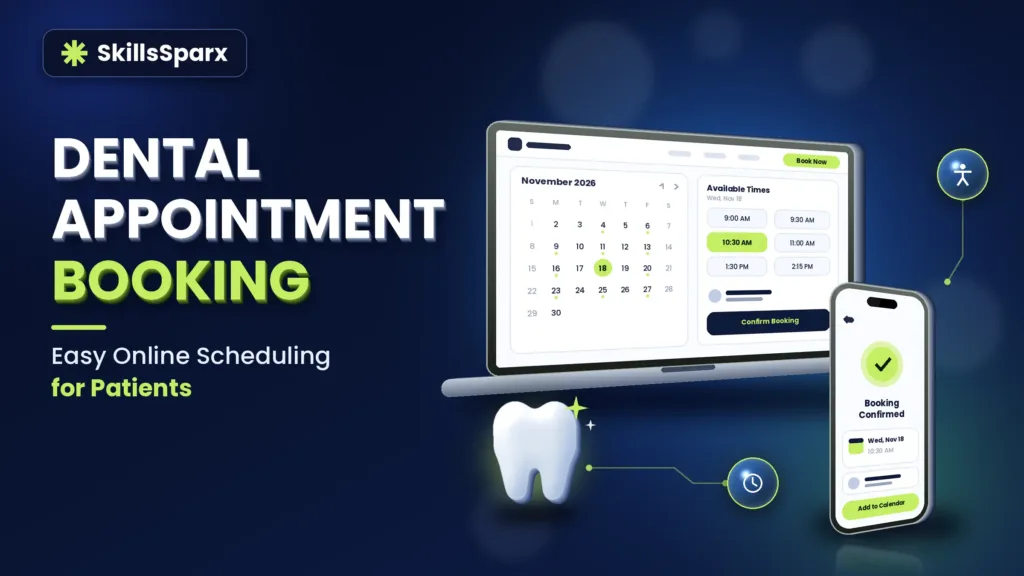
Booking a dental appointment should be simple, convenient, and stress-free. However, many dental patients still need to call a clinic during business hours, wait for someone to answer, or explain their availability over the phone. These small inconveniences can discourage potential patients from scheduling an appointment.
A dental appointment booking system allows patients to schedule appointments online through a dental clinic’s website. Instead of relying entirely on phone calls, patients can choose their preferred appointment time, provide basic information, and submit their booking whenever it is convenient.
For dental practices, online appointment booking can improve patient convenience, reduce administrative workload, and create a better website experience.
In this guide, we will explore how dental appointment booking works, which features patients expect, and how dental clinics can create a convenient online booking experience.
A professional dental website design can help dental clinics create a convenient online experience for patients.
Quick Answer: Dental appointment booking allows patients to schedule dental visits through phone calls, online forms, or digital booking systems. Online scheduling makes it easier to choose preferred appointment times, submit booking requests, and receive confirmations. Dental clinics can improve the booking experience with simple forms, mobile-friendly websites, accessible features, and clear appointment information.
What Is Dental Appointment Booking?
Dental appointment booking is the process of scheduling a dental visit with a dentist or dental clinic. It can happen through a phone call, email, messaging application, or online booking system.
An online dental appointment booking system allows patients to schedule appointments directly through a website.
For example, a patient looking for a teeth cleaning appointment can:
- Visit the dental clinic’s website.
- Select the required dental service.
- Choose an available appointment date and time.
- Enter their contact information.
- Submit the appointment request.
- Receive a booking confirmation.
This process makes scheduling easier for patients while helping dental clinics manage appointment requests more efficiently.
Why Dental Clinics Need Online Appointment Booking
Patients increasingly expect businesses to provide convenient digital experiences. Dental clinics are no exception.
A website with online appointment booking can make it easier for potential patients to take the next step without waiting for office hours.
1. Patients Can Book Appointments Anytime
Traditional appointment scheduling usually requires patients to contact a clinic during business hours.
Online booking allows patients to submit appointment requests at any time, including evenings, weekends, and holidays.
This convenience can be especially useful for busy professionals, parents, and people with limited availability during the day.
2. Reduce Appointment Scheduling Work
Receptionists often handle phone calls, appointment changes, patient questions, and other administrative tasks.
An online booking system can help reduce some scheduling-related workload by allowing patients to submit their appointment information independently.
Staff can then focus on confirming appointments, assisting patients, and managing other important responsibilities.
3. Improve the Patient Website Experience
A dental website should help visitors find information and take action easily.
If patients can explore dental services and book appointments through the same website, they do not need to navigate multiple platforms or search for additional contact information.
A convenient booking experience makes the website more useful and patient-friendly.
4. Make Appointment Scheduling More Convenient
Patients may want to schedule appointments while commuting, during a lunch break, or after work.
An online booking system provides flexibility by allowing patients to submit appointment requests whenever they have time.
| Feature | Traditional Booking | Online Booking |
|---|---|---|
| Booking Method | Phone Call | Website / Online Form |
| Availability | Clinic Hours | Request Anytime |
| Patient Convenience | Call Required | Digital Scheduling |
| Appointment Selection | Staff Assistance | Online Options |
| Confirmation | Phone / Manual | Email / SMS (if supported) |
| Scheduling Work | Staff Handles Calls | Some Tasks Automated |
Essential Features of a Dental Appointment Booking Website
A useful online booking system should be simple, accessible, and easy to understand.
The following features can help dental clinics create a better scheduling experience.
1. Simple Appointment Booking Form
The appointment form should collect only the information necessary to schedule a visit.
Typical fields include:
- Patient name
- Email address
- Phone number
- Preferred dental service
- Preferred appointment date
- Preferred appointment time
- Optional message or appointment notes
Avoid asking patients to complete unnecessarily long forms.
A short and straightforward booking form can make the process easier, particularly for mobile users.
2. Dental Service Selection
Patients should be able to select the dental service they need before submitting an appointment request.
Common dental services include:
- General dentistry
- Teeth cleaning
- Dental checkups
- Teeth whitening
- Dental implants
- Orthodontic consultations
- Emergency dental care
- Cosmetic dentistry
Clearly displaying available services helps patients understand which appointment type they should request.
3. Available Appointment Dates and Times
An effective booking system should display available appointment dates and times whenever real-time scheduling is supported.
Patients should not have to guess when the dentist is available.
The system should also prevent conflicting bookings when appointments are automatically confirmed.
If a clinic uses request-based scheduling, patients should understand that their preferred time is not confirmed until the clinic approves it.
4. Appointment Confirmation
After submitting a booking request, patients should receive clear confirmation.
A confirmation message should include:
- Appointment request or confirmation status
- Selected dental service
- Requested date and time
- Dental clinic contact information
- Instructions for changing or cancelling the appointment
Email or SMS confirmations can help patients keep track of their appointments.
5. Mobile-Friendly Booking Experience
Many patients visit dental websites using smartphones.
Therefore, the booking form should work properly on mobile devices.
Important mobile-friendly features include:
- Readable text
- Large, easy-to-tap buttons
- Simple navigation
- Short forms
- Properly displayed date and time selectors
- Fast-loading pages
A mobile-friendly appointment booking experience allows patients to schedule visits without struggling with small buttons or complicated forms.
Dental Website Accessibility and Online Booking
Website accessibility is an important consideration when designing a dental appointment booking system.
Dental patients may have different accessibility needs, including visual, hearing, motor, or cognitive disabilities.
An accessible booking experience helps more people use a dental website independently.
Keyboard-Friendly Appointment Forms
Patients should be able to navigate booking forms using a keyboard without depending entirely on a mouse.
Keyboard users should be able to:
- Move between form fields
- Select appointment options
- Activate booking buttons
- Review form errors
- Submit appointment requests
Clear Form Labels
Every booking field should have a clear and descriptive label.
For example:
- Patient Name
- Email Address
- Phone Number
- Select Dental Service
- Preferred Appointment Date
Labels help patients understand what information is required.
Accessible Error Messages
If a patient enters incorrect information or misses a required field, the website should explain the problem clearly.
Instead of displaying a vague message such as “Invalid input,” provide helpful instructions.
For example:
“Please enter a valid email address so we can send your appointment confirmation.”
Screen Reader Compatibility
Booking forms should be designed to work with screen readers.
This includes properly labeled form fields, meaningful buttons, understandable instructions, and accessible error messages.
Dental clinics should consider following the Web Content Accessibility Guidelines (WCAG) when improving website accessibility.
Dental clinics should consider following the Web Content Accessibility Guidelines (WCAG) when improving website accessibility. The WCAG guidelines provide internationally recognized recommendations for making web content more accessible to people with disabilities.
How to Improve the Dental Appointment Booking Process
Dental clinics can improve their booking experience by making the scheduling process clear and convenient.
Use a Clear Booking Button
Place a visible appointment booking button on important website pages.
Examples include:
- Book an Appointment
- Schedule Your Visit
- Request a Dental Appointment
- Book Your Dental Checkup
The button should be easy to find without requiring visitors to search through the website.
Add Booking Buttons to Important Pages
Patients may decide to schedule an appointment after reading about a specific dental service.
For example, someone reading about teeth whitening may want to book a consultation immediately.
Add relevant booking buttons to:
- Homepage
- Dental service pages
- Dentist profile pages
- Contact page
- Frequently asked questions
Keep the Booking Process Short
A complicated booking process can discourage patients from completing their requests.
Try to keep the process simple:
- Choose a dental service.
- Select an available date and time.
- Enter basic contact information.
- Submit the booking.
- Receive confirmation.
Avoid unnecessary steps that do not help patients schedule their visits.
Provide Alternative Booking Options
Not every patient prefers online scheduling.
A dental website should also provide alternative contact options, such as:
- Clinic phone number
- Contact form
- Email address
- WhatsApp contact, where appropriate
Providing multiple communication options makes the website more convenient for different patients.
A Practical Tip for Dental Clinics
Dental clinics should regularly test their appointment booking process from a patient’s perspective. Try submitting a booking request on both desktop and mobile devices to identify confusing form fields, missing confirmation messages, or unnecessary steps. Reviewing these issues can help clinics make appointment scheduling more convenient and reduce potential booking difficulties.
Dental Appointment Booking and Patient Privacy
Dental clinics should treat patient information carefully.
Booking forms should collect only necessary information and use secure methods to transmit and store it.
Important considerations include:
- Using HTTPS across the website
- Limiting access to patient information
- Avoiding unnecessary sensitive information in booking forms
- Choosing appropriate booking software
- Providing clear privacy information
- Following applicable healthcare privacy laws and regulations
Dental clinics should also avoid collecting detailed medical histories through ordinary booking forms unless the system is appropriately designed for that purpose.
How Dental Appointment Booking Supports Dental Website SEO
A dental website should be designed for both patients and search engines.
Dental clinics can improve their online visibility by following practical SEO tips and optimizing their website for relevant dental services.
Online appointment booking can support a useful website experience, but the booking feature itself does not automatically improve Google rankings.
Dental clinics should also focus on:
Create Dedicated Dental Service Pages
Create informative pages for services such as:
- Teeth Cleaning
- Dental Implants
- Teeth Whitening
- Emergency Dentistry
- Orthodontic Treatment
Each page should explain the service, answer common patient questions, and provide a relevant appointment booking option.
Optimize the Website for Local Search
Dental clinics often serve patients within a specific geographic area.
Useful local SEO elements include:
- Accurate clinic name, address, and phone number
- Google Business Profile
- Location-specific dental service pages
- Consistent business information
- Patient reviews
- Local business information and appropriate structured data
Dental clinics should also follow Google’s Business Profile guidelines to maintain accurate business information and improve their local online presence.
Improve Website Speed
A slow dental website can make appointment scheduling frustrating.
Optimize images, reduce unnecessary scripts, use reliable hosting, and ensure the booking system performs well on mobile devices.
A fast and accessible website provides a better experience for patients.
Dental clinics can follow Google’s SEO Starter Guide to understand how to create helpful content and make their websites easier for search engines to understand.
Dental clinics should also focus on website performance. WordPress speed optimization can help improve page loading speed and create a smoother experience for patients.
How to Choose a Dental Appointment Booking System
Before selecting booking software, dental clinics should evaluate their scheduling needs.
Consider the following questions:
- Does the system support the clinic’s dental services?
- Can patients select available appointment times?
- Does it prevent double bookings?
- Can staff manage appointments easily?
- Does it send appointment confirmations?
- Does it support cancellations and rescheduling?
- Is it mobile-friendly?
- Does it provide appropriate privacy and security controls?
- Can it integrate with the clinic’s existing management software?
Some clinics need a simple appointment request form, while others require a complete scheduling system with real-time availability and automated reminders.
The right solution depends on the clinic’s workflow, team size, and patient requirements.
Online Dental Scheduling vs Phone Booking
Online dental scheduling does not replace your front desk, but it removes a lot of back-and-forth. Here is how the two compare:
| Phone booking | Online dental scheduling | |
|---|---|---|
| Available | Office hours only | 24/7, including evenings and weekends |
| Patient effort | Call, wait, agree a time | Pick a free slot in a few taps |
| Staff time | High: every booking is a call | Low: bookings arrive automatically |
| Reminders | Manual calls | Automatic SMS or email reminders |
| Best for | Urgent or complex cases | Check-ups, cleanings and routine visits |
Most clinics get the best results by offering both. For the rest of your website, see what a dental clinic website needs so patients book.
Final Thoughts
A convenient dental appointment booking experience can make it easier for patients to schedule visits and interact with a dental clinic online.
By combining simple booking forms, clear appointment information, mobile-friendly design, accessibility features, and secure patient information handling, dental practices can create websites that are genuinely helpful.
The goal is not simply to add a booking button. It is to make the entire scheduling process understandable, convenient, and accessible for patients.
A well-designed dental website should help visitors find the information they need and schedule their next dental appointment with confidence.
If your dental clinic needs a professional website or SEO support, contact our team to discuss your website requirements.
Frequently Asked Questions
What is dental appointment booking?
Dental appointment booking is the process of scheduling a visit with a dentist through a phone call, online form, or appointment scheduling system.
How does online dental appointment booking work?
Patients select a dental service, choose a preferred appointment date and time, enter their contact information, and submit a booking request. Depending on the system, the appointment may be confirmed automatically or by clinic staff.
What features should a dental appointment booking website include?
Important features include a simple booking form, dental service selection, appointment availability, confirmation messages, mobile-friendly design, accessible forms, and secure patient information handling.
Can patients book dental appointments online 24/7?
Yes. Patients can submit online appointment requests at any time if the booking system is available. However, appointment confirmation may depend on the clinic’s operating hours and scheduling process.
Why is website accessibility important for dental appointment booking?
Accessibility helps patients with disabilities navigate booking forms, understand instructions, select appointment options, and submit requests more independently.
Does online appointment booking improve dental SEO?
Online appointment booking does not directly guarantee better rankings. However, it can improve website usability and make it easier for visitors to take action. Dental SEO also requires relevant content, technical optimization, local SEO, and other ranking factors.
Should dental clinics use an appointment request form or a real-time booking system?
A request form is suitable for clinics that prefer to review and approve appointments manually. A real-time booking system is useful when patients need to select confirmed available appointment slots automatically.
How can a dental clinic make its booking form more accessible?
Use descriptive labels, keyboard navigation, clear instructions, accessible error messages, readable text, and screen reader-compatible form controls. Testing against WCAG accessibility guidelines can help identify additional improvements.