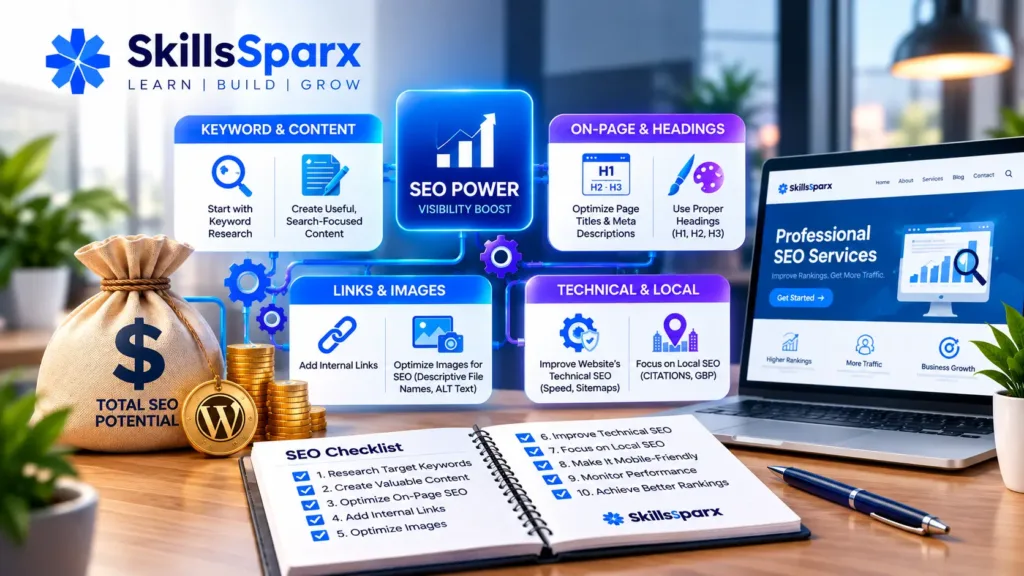
Search engine optimization (SEO) helps search engines understand your website and helps users find relevant pages through search. Whether you have a new WordPress website, a business website, an online store, or a portfolio, applying the right SEO tips can improve your website’s visibility and user experience.
SEO is not about adding keywords everywhere. A good SEO strategy combines useful content, clear website structure, technical optimization, relevant keywords, internal links, and a good experience for visitors.
In this guide, we’ll cover 10 essential SEO tips that beginners and small businesses can use to improve their websites.
1. Start With Keyword Research
One of the most important SEO tips is to understand what your target audience searches for.
Before creating a page or blog post, research relevant keywords and identify the search terms that match your topic.
For example, if you offer WordPress services, you might research keywords related to:
- WordPress development
- WordPress website services
- WordPress website cost
- WordPress maintenance
- SEO services
- Website development services
Choose keywords that are relevant to your business and the page you are optimizing.
Why Keyword Research Matters
Keyword research helps you understand:
- What people are searching for
- What topics you should create content about
- What search intent users have
- Which keywords are relevant to your services
- How your content can answer users’ questions
Avoid choosing keywords simply because they have high search volume. Relevance and search intent are also important.
2. Create Useful, Search-Focused Content
High-quality content is an important part of SEO.
Your content should answer the user’s question clearly and provide useful information instead of being written only for search engines.
For example, if someone searches for SEO tips for beginners, an article should explain practical steps that a beginner can actually follow.
Good content should:
- Answer the main question
- Be easy to read
- Use clear headings
- Provide useful examples
- Avoid unnecessary repetition
- Match the user’s search intent
Your content should also demonstrate your knowledge and provide genuine value to visitors.
3. Optimize Your Page Title and Meta Description
Your page title helps search engines and users understand what a page is about.
A good SEO title should be:
- Relevant to the page
- Clear and descriptive
- Naturally written
- Focused on the main topic
The meta description provides a short summary of the page and can help users understand what they will find after clicking the search result.
For example, instead of a generic title such as:
Home
A more descriptive title could be:
Professional Web Development Services | SkillsSparx
The exact title should depend on the page’s target keyword and search intent.
4. Use Proper Headings
Organizing your content with headings makes it easier for both users and search engines to understand the page.
Use:
- H1 for the main page or article heading
- H2 for major sections
- H3 for subsections
For example:
H1
10 Essential SEO Tips for Better Rankings in 2026
H2
1. Start With Keyword Research
H2
2. Create Useful, Search-Focused Content
H3
Why Keyword Research Matters
Avoid using headings simply to make text larger. Each heading should help organize the content.
5. Add Internal Links
Internal linking is another useful SEO tip.
An internal link connects one page on your website to another page on the same website. It helps visitors discover related information and helps search engines understand the relationship between your pages.
For example, if you are discussing website development, you can link to your Web Development Services page.
You can also connect relevant content to:
- Home
- Services
- Work
- Process
- About
- Contact
- Related blog posts
Use descriptive anchor text instead of generic phrases such as “click here.”
For example:
Explore our web development services to learn more about the solutions we provide.
This gives the reader a clear idea of what they will find after clicking.
6. Optimize Images for SEO
Images can improve the visual quality of your website, but they should also be optimized properly.
Some useful image SEO tips include:
- Use descriptive file names
- Add relevant ALT text
- Compress large images
- Use appropriate image dimensions
- Avoid unnecessarily large image files
For example, instead of:
IMG_1234.jpg
use a descriptive filename such as:
wordpress-seo-tips.jpg
ALT text should describe the image accurately and naturally. Do not fill ALT text with keywords that do not describe the image.
7. Improve Your Website’s Technical SEO
Technical SEO helps search engines access, understand, and index your website.
Important technical SEO areas include:
- HTTPS/SSL
- XML sitemap
- Robots.txt
- Canonical URLs
- Mobile responsiveness
- Website speed
- Proper URL structure
- 404 error handling
- Indexing
A technically healthy website provides a better foundation for your content and other SEO efforts.
If your website has technical problems, fixing those issues should be part of your overall SEO strategy.
A clear web development process can help ensure that technical SEO, website performance, and other important requirements are considered throughout the project.
Custom plugins and APIs can also help websites add specific functionality, automate tasks, and connect different systems.
8. Focus on Local SEO for Local Businesses
If your business serves customers in a specific city or region, local SEO tips can help improve your local online visibility.
Local SEO can include:
- Optimizing your Google Business Profile
- Using relevant location-based keywords
- Keeping business information consistent
- Creating location-relevant content
- Building relevant local citations
- Collecting genuine customer reviews
- Adding relevant local business information to your website
For example, a web development company serving Pakistan may create relevant content around web development services in Pakistan if that matches its actual target audience.
For small businesses, local SEO can be especially useful when customers are searching for services in their area.
9. Make Your Website Mobile-Friendly and Fast
Many users access websites through smartphones, so your website should work properly across different screen sizes.
Check that:
- Text is easy to read
- Buttons are easy to tap
- Navigation works properly
- Images fit the screen
- Pages load efficiently
- Important content is easy to find
Website performance also affects user experience. Large images, unnecessary scripts, and poorly optimized resources can slow down a website.
Regularly test your website performance and identify areas that can be improved.
10. Monitor Your SEO Performance
SEO is an ongoing process.
After optimizing your website, monitor how your pages perform and look for opportunities to improve them.
Useful tools can help you monitor:
- Search queries
- Impressions
- Clicks
- Click-through rate
- Average position
- Indexed pages
- Technical issues
- Organic traffic
You can use tools such as Google Search Console and Google Analytics to understand how people discover and interact with your website.
If a page receives impressions but few clicks, for example, you may review its title and meta description.
Bonus: SEO Tips for Beginners
If you are completely new to SEO, don’t try to optimize everything at once.
Start with these basic steps:
- Research your target keywords.
- Create useful content.
- Optimize your page title.
- Write a relevant meta description.
- Use proper headings.
- Add internal links.
- Optimize images.
- Make sure your website is mobile-friendly.
- Fix important technical SEO issues.
- Monitor your results and improve your pages over time.
A consistent SEO process is more useful than making random changes to your website.
Common SEO Mistakes to Avoid
While learning SEO tips and tricks, it is also important to understand what to avoid.
Keyword Stuffing
Don’t repeatedly add the same keyword just to increase keyword frequency. Write naturally and use related terms where appropriate.
Ignoring Search Intent
A page can target a keyword but still fail to satisfy the user if the content does not answer their actual question.
Using Generic Anchor Text
Instead of repeatedly using:
Click here
use descriptive anchor text that tells users what they are clicking.
Ignoring Mobile Users
A website that looks good on desktop but is difficult to use on mobile can provide a poor user experience.
Publishing Without Reviewing
Always check your content, links, images, headings, spelling, and formatting before publishing.
How Long Does SEO Take?
SEO usually requires ongoing work rather than a single optimization session.
Results can depend on factors such as:
- Website age
- Competition
- Target keywords
- Content quality
- Technical SEO
- Website authority
- Search intent
- Existing backlinks
- Consistency of SEO work
Instead of expecting immediate results, monitor your website’s performance over time and continue improving pages based on data.
Conclusion
SEO is a combination of useful content, keyword research, technical optimization, internal linking, image optimization, mobile usability, and continuous improvement.
If you’re starting SEO for the first time, focus on the fundamentals before moving to more advanced strategies. Build useful pages, understand what your audience searches for, keep your website technically healthy, and regularly review your performance.
For businesses that need help with web development, WordPress, WooCommerce, SEO, or local visibility, you can explore our Services page or learn more about our Process before getting in touch with SkillsSparx.
You can also explore our Work to see examples of completed projects, learn more About SkillsSparx, or Contact us to discuss your website requirements.
Frequently Asked Questions
1. What Are SEO Tips for Beginners?
If you are new to SEO, start with basic SEO tips for beginners such as keyword research, creating useful content, optimizing page titles and meta descriptions, improving headings, adding internal links, and making your website mobile-friendly.
2. What Are the Best SEO Tips for Better Rankings?
The best SEO tips include targeting relevant keywords, creating helpful content, optimizing on-page elements, improving website speed, building quality backlinks, and regularly updating your content.
3. What Are Some SEO Tips and Tricks?
Useful SEO tips and tricks include optimizing image ALT text, using descriptive URLs, adding internal links, improving title tags and meta descriptions, and checking your website regularly for technical SEO issues.
4. What Are the Best SEO Tips for Beginners?
The best SEO tips for beginners are to understand search intent, research relevant keywords, create useful content, optimize headings and metadata, improve website usability, and monitor SEO performance over time.
5. What Are Advanced SEO Tips?
Advanced SEO tips include improving technical SEO, optimizing website structure, strengthening internal linking, implementing structured data where appropriate, improving Core Web Vitals, and building high-quality backlinks.