Introduction
A school website is more than an online brochure. It is a central place where parents, students, teachers, and prospective families can find important information about an educational institution. From admission details and academic programs to school events and contact information, a well-planned website makes everyday communication easier and helps a school present itself professionally.
In today’s digital world, families often search online before deciding which school is right for their children. A clear, informative, and easy-to-use website can help them understand the school’s values, facilities, teaching approach, and educational opportunities. This is why choosing the right school website features is an important step for schools that want to improve their online presence.
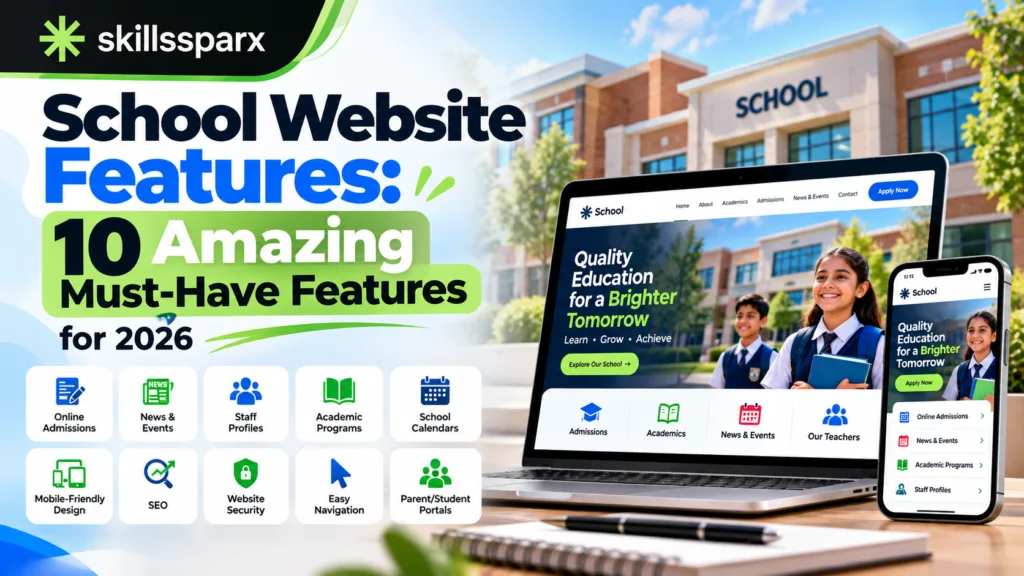
In this guide, we will explore ten essential school website features, explain why each one matters, and share practical tips for building a website that supports students, parents, teachers, and school administrators.
What Makes a Good School Website?
A good school website combines useful information, attractive design, accessibility, security, and simple navigation. Visitors should not have to search through multiple pages to find the school calendar, admission process, contact details, or academic information.
The best school website design focuses on the needs of its audience. Parents may want to check school timings, students may need learning resources, and prospective families may want to compare facilities and educational programs. The website should make these tasks simple.
Before selecting individual school website features, school administrators should identify their primary goals. These might include attracting new students, improving parent communication, publishing announcements, sharing educational resources, or reducing administrative work.
1. Mobile-Friendly and Responsive Design
A mobile-friendly layout is one of the most important school website features because parents and students frequently browse websites using smartphones and tablets. If a website is difficult to read on a small screen, visitors may leave before finding the information they need.
For example, a parent checking admission dates on a smartphone should be able to find the relevant page without zooming in or scrolling horizontally. Similarly, a student should be able to read announcements without struggling with tiny text.
Schools should test their websites on different devices and screen sizes before publishing updates. They should also check that forms, menus, tables, and downloadable documents work properly on mobile devices.
A responsive website improves usability and can support search visibility because search engines consider mobile usability when evaluating website quality. Schools should therefore treat responsive design as a basic requirement rather than an optional upgrade.
Choosing the right school website features helps schools provide a smooth experience for parents and students using smartphones, tablets, and computers. A responsive layout also makes important information easier to access. Explore our web development services to learn more about creating a user-friendly website.
2. Clear Navigation and Website Structure
Visitors should be able to move through a website without confusion. Clear navigation is another essential part of effective school website features because it helps people locate information quickly.
A school website menu can include Home, About Us, Admissions, Academics, Facilities, News and Events, Parents, Students, and Contact. Schools should organize pages according to visitor needs instead of adding too many menu items.
Important information should not be hidden several clicks away. Admission requirements, school timings, fee information where appropriate, and contact details should be easy to locate. A search function may also help visitors find specific information on larger websites.
Consistent headings, descriptive page titles, and logical page relationships make the website easier to understand. Breadcrumb navigation can be helpful when a website contains many pages, while a clear footer can provide quick links to contact information, policies, and other useful resources.
Effective school website features should make navigation simple so visitors can find admissions, academic information, school news, and contact details quickly. A clear structure improves usability and helps visitors explore related pages. Learn more about our approach on the SkillsSparx About page.
3. Online Admission and Enquiry Forms
The admission process is one of the main reasons families visit a school website. Convenient online forms can help schools collect enquiries and guide prospective parents through the next steps.
Useful school website features for admissions may include an admission overview, eligibility requirements, application deadlines, required documents, entrance assessment details, and contact information for the admissions office.
An online enquiry form can request basic information such as a parent’s name, contact details, the student’s intended grade, and a short message. If the school accepts applications online, the application form should explain each step and clearly identify required fields.
Forms should be simple and should request only information the school genuinely needs. Schools must also explain how submitted information will be handled and ensure that personal data is protected.
Modern school website features such as online enquiry forms and clear admission instructions can save time for school staff and families. Schools should make every step easy to understand and ensure that submitted information is handled securely. If you need help planning a website, you can contact our team.
4. Detailed Academic Programs and Curriculum Information
Parents want to understand what students will learn and how a school supports academic progress. A dedicated academics section can explain the curriculum, subjects, grade levels, teaching methods, assessment approach, and additional learning opportunities.
This section is one of the school website features that helps families evaluate whether an institution meets their educational expectations.
Schools can create separate pages for primary, middle, and secondary education when their programs differ significantly. Each page should explain the relevant subjects, learning objectives, and any special academic support available.
If the school offers science laboratories, computer education, language programs, arts, sports, or extracurricular learning, these opportunities can also be described. Information should be accurate and updated when programs change.
Useful school website features allow schools to organize curriculum details, grade-level information, and educational programs into clear pages. This helps parents understand what the school offers before making an admission decision. You can explore our previous projects in the web development portfolio.
5. Teacher and Staff Profiles
Parents often want to know who will teach and support their children. Teacher and staff profiles can introduce the people responsible for education, administration, student support, and school leadership.
Profiles may include a staff member’s name, role, relevant qualifications, teaching subject, and a short professional biography. Schools should publish only appropriate information and obtain permission before displaying personal photographs or biographical details.
These school website features can help present the school’s team in a professional and transparent way. They also allow families to identify the right person when they have questions about a particular subject, department, or administrative process.
For example, a clear staff directory can show which teacher coordinates a particular grade or which office handles admissions. This reduces confusion and makes communication more efficient.
When planning school website features, schools should consider how staff profiles can help parents identify teachers, departments, and the right contact person. Accurate profiles support transparency and make school communication more convenient. Review the website development process to understand how a website project can be planned and organized.
6. News, Announcements, and School Events Calendar
A school website should be a reliable source of current information. News updates, announcements, and an events calendar help families stay informed about activities, holidays, examinations, meetings, and important deadlines.
These school website features are especially useful when the school needs to communicate schedule changes or share information with a large community.
A news section can highlight academic achievements, competitions, student activities, celebrations, community projects, and school developments. Each update should have a clear heading, publication date, and concise explanation.
An events calendar can display parent-teacher meetings, examination periods, sports days, school trips, holidays, and other scheduled activities. Where practical, visitors should be able to view event details without navigating through several unrelated pages.
Schools should assign responsibility for maintaining announcements. Outdated notices can create confusion, so expired information should be removed or clearly marked as historical.
7. Parent and Student Portals
A parent or student portal can provide access to information that should not be publicly available. Depending on the school’s needs, a portal may include attendance records, timetables, assignments, examination results, learning resources, fee information, or school notices.
Among advanced school website features, a portal can be particularly valuable for schools that need to organize information for different groups of users.
Access should be protected through appropriate authentication and permissions. Parents should see only the information they are authorized to access, and students should have access according to their age, role, and school policy.
Advanced school website features may include parent portals, student dashboards, and learning platform integrations when a school genuinely needs them. The right solution should be secure, easy to maintain, and suitable for the institution’s requirements. Schools needing additional functionality can explore our custom plugins.
8. Contact Details, Location Map, and Communication Options
Visitors should never have to guess how to contact a school. A dedicated contact page should provide the school’s official address, telephone number, email address, office hours, and other approved communication channels.
These school website features help prospective parents, current families, suppliers, and community members reach the correct department.
A location map can help visitors understand where the school is situated and plan their journey. Schools should ensure that the address shown on the website matches their official contact information.
A contact form may also be useful for general questions. It should have clear labels, appropriate spam protection, and a confirmation message after submission. If different departments handle different enquiries, the form can let visitors select a relevant topic.
Schools should test telephone links on mobile devices and ensure that email addresses are accurate. They should also explain when visitors can expect a response instead of implying that every enquiry will receive an immediate reply.
9. Search Engine Optimization and Helpful Content
A well-designed website is more useful when people can find it through search engines. Search engine optimization, or SEO, helps schools organize content so that search engines can understand the pages and present relevant results to users.
SEO-friendly school website features include descriptive page titles, useful headings, clear URLs, descriptive image alternative text, relevant internal links, and content that answers common questions.
For example, a school can create separate pages for admissions, curriculum, facilities, school policies, and contact information. Each page should have a clear purpose and provide useful, accurate information.
Schools should use relevant phrases naturally. Terms such as school admissions, academic programs, school facilities, and school website design may be appropriate depending on the content. Repeating the same keyword excessively does not guarantee higher rankings and can make a page difficult to read.
Technical basics also matter. The website should use HTTPS, load reliably, avoid broken links, and provide a suitable mobile experience. An XML sitemap and correctly configured indexing settings can help search engines discover important pages.
Google Search Console can help schools monitor indexing and search performance. Analytics tools can provide insight into which pages visitors view and how they interact with the website.
SEO-friendly school website features include descriptive page titles, useful headings, optimized images, and relevant internal links. These elements help search engines understand website content while making pages easier for visitors to use.
10. Website Security, Accessibility, and Performance
A school website must be reliable, secure, and accessible to people with different needs. These school website features protect visitors, improve usability, and support the long-term maintenance of the website.
Security starts with HTTPS, strong administrator passwords, limited account permissions, regular software updates, and dependable backups. Websites that use content management systems should keep the core platform, themes, and plugins updated and remove components that are no longer needed.
Accessibility is equally important. Images should have meaningful alternative text when needed, forms should have clear labels, and text should be readable with sufficient contrast. Visitors should be able to navigate important parts of the website using a keyboard. Headings should follow a logical structure, and videos should include captions when appropriate.
Performance affects the visitor experience as well. Large images, unnecessary scripts, and poorly configured plugins can slow a website. Compressing images, using reliable hosting, reducing unnecessary code, and monitoring page performance can help improve loading speed.
Secure school website features should protect forms, administrator accounts, and any private information collected through the website. Regular updates, backups, and suitable access permissions help reduce common security risks.
How to Choose the Right School Website Design
Choosing the right design begins with understanding the school’s audience, goals, and available resources. A primary school may need prominent information for parents, while a secondary school may require detailed curriculum pages, examination updates, and student resources.
When comparing school website features, administrators should prioritize usability and practical value rather than selecting tools simply because they look impressive.
Consider these questions:
- Can parents find admission information quickly?
- Does the website work well on phones and tablets?
- Can staff update announcements without technical difficulty?
- Are contact details and school policies easy to locate?
- Is personal information protected?
- Can the website grow as the school adds programs or services?
- Are the website’s content and design accessible to different users?
The most effective school website features are those that match the school’s audience, budget, and long-term goals. Reviewing existing projects can help administrators understand different layouts and functionality before choosing a design.
Common Mistakes to Avoid
Schools should avoid these common mistakes when planning and managing their online presence.
1. Outdated information: Old admission dates, expired notices, and incorrect telephone numbers reduce trust. Assign staff responsibility for reviewing important pages.
2. Complicated navigation: Too many menu items make information harder to find. Group related pages under clear headings and prioritize frequently requested information.
3. Poor mobile usability: Small text, crowded menus, and forms that do not fit on mobile screens can frustrate visitors. Test the website on different devices.
4. Slow-loading pages: Oversized images and unnecessary features can affect performance. Optimize images and remove components that do not provide useful value.
5. Excessive promotional content: Families need clear facts about programs, facilities, admissions, and policies. Present this information before adding unnecessary decorative content.
6. Weak security practices: Outdated software, shared administrator accounts, and poorly protected forms create avoidable risks. Maintain updates, backups, and suitable access controls.
7. Missing contact information: Visitors should not need to search extensively for the school’s location or official communication channels. Keep these details visible and accurate.
Schools should review their school website features regularly to identify broken links, outdated announcements, confusing menus, and forms that no longer work. Keeping these elements updated helps maintain a reliable online experience.
How to Maintain a School Website After Launch
Launching a website is the beginning of an ongoing process. Schools need a simple maintenance plan to keep content accurate, technical systems reliable, and visitor information protected.
Start by assigning responsibilities. One staff member may manage announcements, another may review admissions information, and a technical administrator may handle software updates and backups. Clear ownership prevents important tasks from being forgotten.
Create a regular schedule for reviewing pages. Admission details should be checked before each admission cycle, calendars should reflect current dates, and staff profiles should be updated when roles change. Contact forms should be tested to ensure that messages reach the appropriate team.
Maintaining school website features requires regular content reviews, software updates, performance checks, and testing of important forms. A simple maintenance plan helps schools keep their website useful throughout the academic year.
Frequently Asked Questions
1. Why does a school need a website?
A school website provides a central place for admissions information, academic programs, school announcements, contact details, events, and other important resources. It helps parents and students find information at a convenient time and allows the school to present its identity online. A well-designed website with useful school website features can improve communication and make important information easier to access.
2. What are the most important school website features?
The most important school website features usually include responsive design, clear navigation, online admission information, academic pages, staff profiles, announcements, contact details, useful SEO, and strong security. Schools with additional requirements may also need parent portals, student portals, or learning platform integrations.
3. How can a school make its website more useful for parents?
Schools can make websites more useful by keeping admission details, school timings, calendars, contact information, and announcements easy to find. Information should be accurate, readable on mobile devices, and organized around the questions parents ask most often.
4. Are school website templates a good option?
Templates can be a practical starting point for schools with limited budgets or straightforward requirements. However, schools should check mobile responsiveness, accessibility, security, customization options, and ongoing support before selecting a template.
5. How often should a school website be updated?
Important information should be updated whenever it changes. Schools should review calendars, admissions pages, staff information, contact details, and announcements regularly. Technical updates and security checks should follow a consistent maintenance schedule.
6. How can SEO help a school website?
SEO helps search engines understand a school’s pages and can improve the opportunity for relevant information to appear in search results. Useful content, clear page structure, mobile usability, descriptive titles, and sound technical practices all contribute to a stronger search presence. Rankings are not guaranteed and depend on multiple factors.
Conclusion
A professional school website helps an educational institution communicate clearly, share useful information, and build trust with families. From mobile-friendly design and online admissions to academic content, staff profiles, secure portals, and search optimization, every element should support a real visitor need.
The right school website features depend on the school’s size, audience, goals, budget, and administrative resources. Schools should begin with the essentials, make sure their information is accurate, and introduce additional functionality when it provides a clear benefit.
The right school website features can help schools improve communication, simplify admissions, and make important information easier to access. Schools should choose useful features that match the needs of parents, students, and teachers while ensuring the website remains mobile-friendly, secure, and easy to navigate. Explore SkillsSparx to learn more about our website development solutions.