Introduction
WooCommerce has become a popular choice for businesses that want to build an online store with WordPress. It allows businesses to sell physical products, digital products, subscriptions, and other types of products through a flexible eCommerce website.
WooCommerce development involves more than simply installing the WooCommerce plugin. A successful online store may require product setup, store design, payment options, shipping configuration, custom functionality, performance improvements, and ongoing maintenance.
In this guide, we will explain what WooCommerce development includes, why it matters, the development process, common features, costs, and how businesses can build a better WooCommerce store.
To learn more about SkillsSparx and its approach to WordPress and WooCommerce development, visit the SkillsSparx homepage.
What Is WooCommerce Development?
WooCommerce development is the process of creating, customizing, improving, and maintaining an online store using WooCommerce and WordPress.
It can include everything from setting up products and categories to developing custom features and integrations for a specific business.
If you need professional help building or customizing an online store, explore our WooCommerce development services.
1. WooCommerce Store Setup
The first step is setting up WordPress and WooCommerce correctly. This includes configuring basic store settings, currency, product categories, checkout options, and other important settings.
2. Store Design and Customization
A WooCommerce store should have a professional design that makes it easy for customers to browse products and complete purchases.
Design customization can include product pages, category pages, navigation menus, buttons, checkout pages, and other parts of the store.
3. Custom WooCommerce Functionality
Some businesses need features that are not available through standard WooCommerce settings.
Custom development can be used to create specific functionality according to the business requirements.
4. Integrations and APIs
WooCommerce stores may need to connect with payment gateways, shipping systems, CRMs, accounting software, marketing platforms, or other services.
APIs and integrations can help different systems communicate with each other.
Why Is WooCommerce Development Important for Online Stores?
A basic WooCommerce installation may be enough for a simple store, but growing businesses often need additional customization and optimization.
1. Create a Store Around Your Busines
Every business has different products, customers, processes, and requirements.
WooCommerce development allows a store to be customized around those specific needs instead of relying only on default settings.
2. Improve the Customer Experience
A well-designed store can make it easier for customers to find products, understand product information, add items to their cart, and complete checkout.
3. Add Custom Features
Businesses can add features such as custom product options, advanced filters, special checkout functionality, product bundles, subscriptions, and other custom requirements.
4. Connect Different Business Systems
WooCommerce can be connected with external tools and platforms through plugins, APIs, and integrations.
This can help reduce manual work and improve business workflows.
5. Support Business Growth
As an online store grows, its requirements can change.
A flexible WooCommerce setup can make it easier to add products, improve functionality, connect new services, and make changes over time.
Key Features of a WooCommerce Store
A WooCommerce store can include many features depending on the business model and requirements.
1. Product Management
Store owners can create products, add descriptions, upload images, set prices, manage inventory, and organize products into categories.
2. Product Variations
Products such as clothing, shoes, and accessories may require different sizes, colors, materials, or other options.
WooCommerce can manage these variations within product listings.
3. Shopping Cart and Checkout
Customers need a simple way to add products to their cart and complete their purchases.
A properly configured checkout can make the purchasing process easier.
4. Payment Integration
WooCommerce stores can use different payment methods depending on the business, location, and available payment providers.
5. Shipping Configuration
Online stores can configure shipping methods, shipping zones, delivery options, and other shipping requirements.
6. Order Management
WooCommerce provides tools for managing customer orders, order statuses, products, payments, and other order-related information.
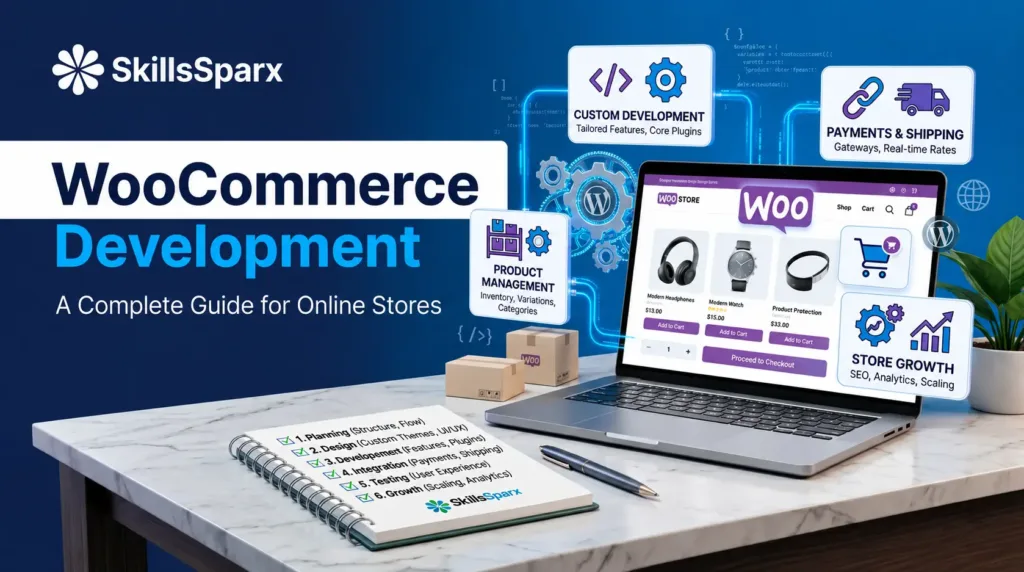
WooCommerce Development Process
A structured development process can make an online store easier to build and manage.
A clear web development process helps businesses plan, build, test, and launch their WooCommerce store in an organized way.
1. Understand the Business Requirements
The first step is to understand the business, products, target customers, required features, and overall goals of the store.
2. Plan the Store Structure
The store structure should be planned before development begins.
This may include product categories, navigation, important pages, product attributes, checkout flow, and required integrations.
3. Design the Store
The design stage focuses on creating a professional and user-friendly experience.
This includes the homepage, product pages, category pages, cart, checkout, and other important sections.
4. Develop and Customize WooCommerce
After planning and design, the WooCommerce store can be developed and customized according to the requirements.
This may include themes, plugins, custom functionality, and integrations.
5. Test the Store
The store should be tested before launch.
Important areas include product pages, cart functionality, checkout, forms, payment methods, mobile responsiveness, navigation, and website performance.
6. Launch and Maintain the Store
After testing, the store can be launched.
Ongoing maintenance may include updates, security checks, backups, performance improvements, and fixing technical issues.
Custom WooCommerce Development
Standard WooCommerce features may not always meet the requirements of every business.
Custom WooCommerce development can be used when a store needs functionality that requires additional development.
1. Custom Product Features
Businesses may need unique product options, pricing rules, product configurations, or other custom product functionality.
2. Custom Checkout Features
A business may require a customized checkout process based on its products or customers.
3. Custom Pricing and Discounts
Special pricing rules, discounts, bundles, or customer-specific pricing can be developed according to business requirements.
4. Custom Integrations
WooCommerce can be connected with external platforms and business systems using APIs and custom integrations.
Custom plugins can add specific functionality to a store when standard WooCommerce features are not enough. You can learn more about our custom plugin solutions on our Our Plugin page.
WooCommerce Themes and Plugins
Themes and plugins play an important role in WooCommerce development.
1. WooCommerce Themes
A WooCommerce-compatible theme controls much of the visual appearance of an online store.
The theme should provide a responsive design and work properly with the store’s required features.
2. WooCommerce Plugins
Plugins can add additional functionality to a store.
Examples include payment gateways, shipping tools, product filters, reviews, analytics, marketing tools, and other features.
3. Custom Plugins
When an existing plugin does not provide the required functionality, a custom plugin can be developed for the specific business requirement.
WooCommerce Website Development Cost
The cost of WooCommerce website development can vary depending on the requirements of the store.
1. Number of Products
A store with a small number of products may require less setup than a large store with hundreds or thousands of products.
2. Design Requirements
A basic store design may require less work than a fully customized eCommerce experience.
3. Custom Functionality
Custom features and special business requirements can increase development time and cost.
4. Payment and Shipping Integrations
Additional payment gateways, shipping systems, and third-party integrations may require extra development work.
5. Maintenance and Support
Ongoing updates, security, backups, performance improvements, and technical support can also be part of the overall website cost.
WooCommerce Development vs Basic WooCommerce Setup
Installing WooCommerce is only one part of creating an online store.
A basic setup may include installing WooCommerce, adding products, selecting a theme, and configuring basic settings.
WooCommerce development goes further by customizing the store according to business requirements.
It may include custom design, advanced functionality, integrations, APIs, performance optimization, and ongoing improvements.
How to Choose a WooCommerce Development Company
Choosing a development company is an important decision for businesses planning an online store.
1. Review Their Portfolio
Look at previous WooCommerce and eCommerce projects to understand the type of websites they have developed.
You can also review our portfolio to see examples of completed website and eCommerce projects.
2. Check Their WooCommerce Experience
Make sure the developer or development company understands WordPress, WooCommerce, plugins, integrations, and eCommerce functionality.
3. Understand Their Development Process
A clear process can help you understand how the project will move from planning to design, development, testing, and launch.
4. Ask About Custom Development
If your store needs special features, ask whether the development team can create custom functionality rather than relying only on existing plugins.
5. Consider Ongoing Support
An online store may require updates, maintenance, troubleshooting, and improvements after launch, so ongoing support can be useful.
Learn more about SkillsSparx and our approach to WordPress and WooCommerce development.
Frequently Asked Questions About WooCommerce Development
1. What is WooCommerce development?
WooCommerce development is the process of building, customizing, integrating, improving, and maintaining an online store using WooCommerce and WordPress.
2. Is WooCommerce good for online stores?
WooCommerce can be used to build different types of online stores, from small product websites to stores with more advanced requirements.
3. Can WooCommerce be customized?
Yes. WooCommerce can be customized using themes, plugins, custom code, APIs, and integrations according to business requirements.
4. Can WooCommerce support custom features?
Yes. Custom WooCommerce development can be used when standard WooCommerce features or existing plugins do not meet specific requirements.
5. Does a WooCommerce store need maintenance?
Regular maintenance can help keep a store updated, secure, functional, and performing properly.
Conclusion
WooCommerce provides businesses with a flexible platform for building online stores with WordPress. However, creating a successful store involves more than simply installing WooCommerce.
A professional WooCommerce development process can include store planning, design, product setup, custom functionality, payment and shipping integrations, testing, performance improvements, and ongoing maintenance.
Whether you are launching a new online store or improving an existing WooCommerce website, understanding your business requirements and planning the right features can help create a better eCommerce experience.
For businesses that need help with WordPress, WooCommerce, custom functionality, or website development, exploring professional WooCommerce development services can be a useful next step.
If you have questions about your online store, contact us to discuss your WooCommerce requirements.