Last updated: October 2026
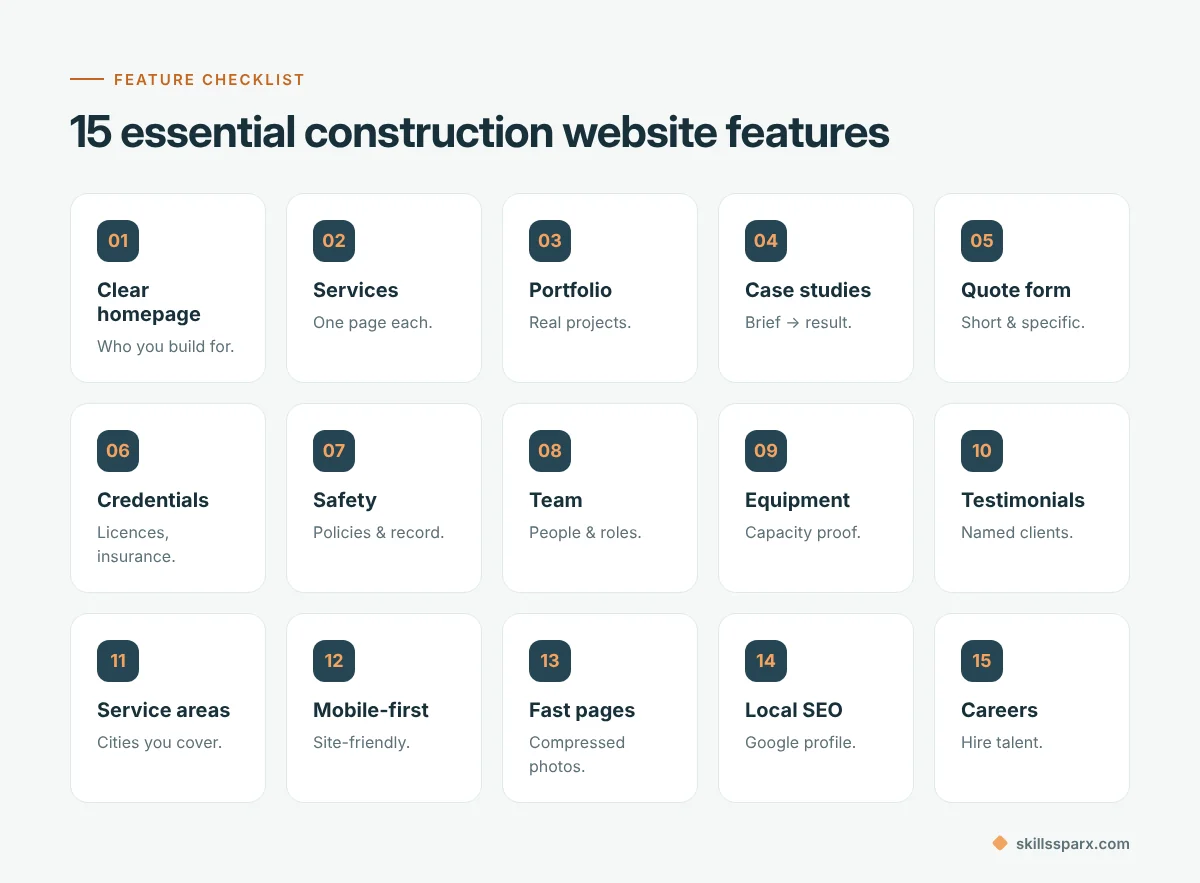
Quick answer: Good construction website design proves you can deliver. The 15 essential features are: a clear homepage, detailed service pages, a project portfolio, case studies, a request-a-quote form, licences and insurance, health and safety information, team profiles, equipment and capacity, testimonials, service areas, mobile-first design, fast pages, local SEO and a careers page. Together they help clients trust you with big, expensive projects.
Construction clients are taking a big risk. Whether it’s a family building their home or a developer commissioning a commercial block, they’re trusting you with a lot of money and a long timeline. Before they ever call, they want proof: finished projects, credentials, a safety record and evidence you can handle a job of their size.
Your website is where you show that proof. Here are the 15 features every construction company website should have, and how to get each one right.
Key takeaways
- In construction, proof beats promises. Real projects and case studies matter most.
- Credentials, insurance and safety information win commercial and corporate clients.
- A short, specific quote form brings better leads.
- Service and area pages help you rank for local searches.
- Photo-heavy sites must be optimised for speed, especially on mobile.
Why construction website design matters
Many contracts start with a search: “construction company in Lahore”, “house builder near me”, “commercial contractor Islamabad”. Others start with a referral, followed immediately by a look at your website. Either way, a weak or outdated site can cost you work you never knew you were in the running for.
A professional construction website builds credibility, shows your capability, brings in qualified enquiries and helps you compete for larger contracts.
15 essential features of construction website design
1. A clear homepage
In one line, say what you build, for whom and where, e.g. “Commercial and residential construction across Punjab”. Follow with your strongest project photos and a “Request a quote” button.
2. Detailed service pages
Residential, commercial, renovation, grey structure, turnkey, civil works, interior fit-out. One page per service, explaining scope, process and typical timelines, ranks better and answers clients’ questions.
3. A project portfolio
Real, high-quality photos of finished projects, organised by type. Include location, size and year. Drone shots and before/after images are especially persuasive.
4. Case studies
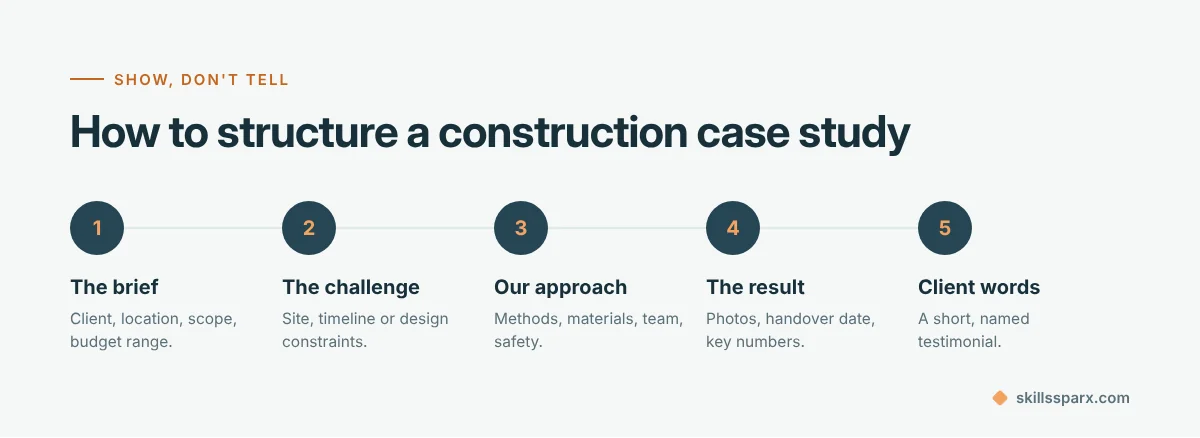
Turn your best projects into short stories: the brief, the challenge, your approach and the result. This is where developers and corporate clients judge your capability.
5. A request-a-quote form
Ask for the essentials: project type, location, approximate size, timeline and budget range. A short, specific form gets more submissions and better leads.
6. Licences, registrations and insurance
Show your relevant registrations (for example, your PEC category if you work in Pakistan), professional memberships and insurance cover. Bigger clients check these first.
7. Health and safety
Explain your safety policies, training and site procedures. A good safety record is a selling point for commercial clients.
8. Team profiles
Introduce key people: project managers, engineers, architects and site supervisors, with roles and experience.
9. Equipment and capacity
Machinery, workforce size and how many projects you can run at once tell clients whether you can handle their job.
10. Testimonials and client logos
Named testimonials from real clients, ideally linked to specific projects, and logos of companies you’ve worked with.
11. Service areas
List the cities and regions you cover. Separate area pages with local projects help you appear in local searches.
12. Mobile-first design
Clients and partners often check your site on their phones, sometimes on a site visit. Make galleries swipeable and contact buttons easy to tap.
13. Fast-loading pages
Construction sites are photo-heavy. Compress images and use WebP so galleries load quickly, even on mobile data.
14. Local SEO
A complete Google Business Profile, consistent contact details and reviews help you show up for “construction company near me” and “builder in [city]”.
15. A careers page
Good engineers and skilled workers check your website too. A careers page helps you attract talent as you grow.
Common construction website mistakes
- Stock photos of hard hats instead of your own projects
- One generic “Services” page with a list of bullet points
- No credentials, registrations or insurance information
- Huge uncompressed photos that make the site crawl
- Contact form asking for too much, or too little, information
- A portfolio that hasn’t been updated in years
Getting your construction website built
Start by gathering your best project photos (hire a photographer or drone operator for key projects if you can), writing up three to five case studies and collecting your registrations and insurance documents. Then plan pages around the 15 features above. Our guide to website design and development walks through the process, and our local SEO guide will help you get found in your area.
Related guides: plumbing website design and website redesign cost.
Final thoughts
The best construction website design doesn’t rely on clever slogans. It lets your work, credentials and people speak for themselves. Show real projects, explain your process, make getting a quote easy and keep everything current, and your website will bring in better clients for bigger jobs.
Ready to build a website that wins contracts? Explore our web development services, see our work, or contact SkillsSparx.
Frequently asked questions
What should a construction company website include?
A clear homepage, service pages, a project portfolio, case studies, a request-a-quote form, licences and insurance, safety information, team profiles, equipment and capacity, testimonials, service areas, mobile-first design, fast pages, local SEO and a careers page.
Why is a project portfolio so important for construction websites?
Clients want proof that you can deliver projects like theirs. Real photos of finished work, with details like location, size and year, build far more trust than descriptions alone.
How can a construction company get more leads from its website?
Show strong project photos and case studies, make the quote form short and visible on every page, add WhatsApp and call buttons, create service and area pages, complete your Google Business Profile and collect reviews.
What should a construction quote form ask for?
Project type, location, approximate size, desired start date or timeline, budget range and contact details. Keep it short so people complete it, and follow up quickly.
How do I make a photo-heavy construction website load fast?
Resize images to the size they are displayed, compress them, use the WebP format, lazy-load galleries, choose good hosting and avoid autoplay videos and heavy sliders.
Does a construction company need SEO?
Yes. Many clients search for builders and contractors online. Service and area pages, a Google Business Profile, reviews and a fast mobile site help you appear for local construction searches.