
Last updated: October 2026
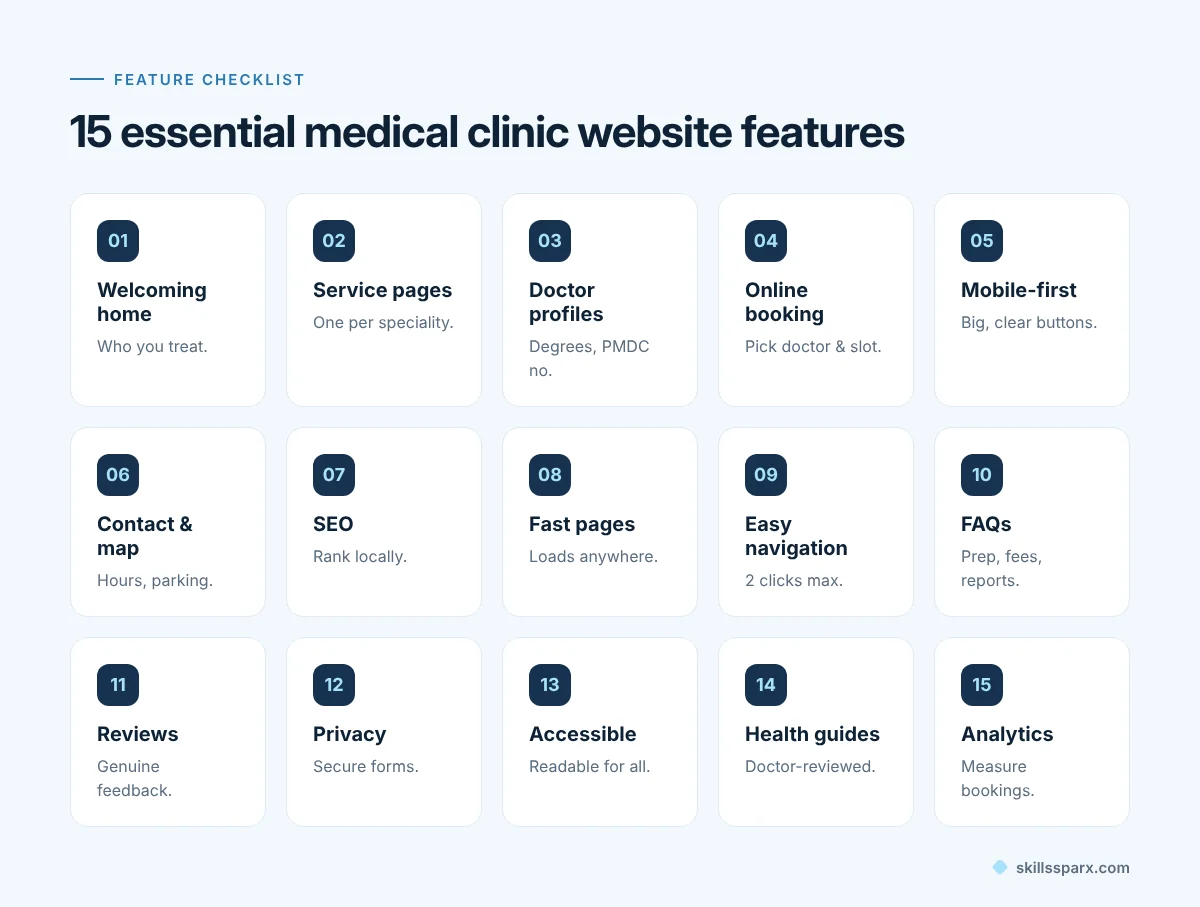
Quick answer: Good medical clinic website design helps patients quickly find the right service, trust your doctors and book an appointment, while protecting their privacy. The 15 essential features are: a welcoming homepage, clear service pages, doctor profiles, online booking, mobile-friendly design, contact details and timings, SEO, fast loading, simple navigation, FAQs, patient reviews, security and privacy, accessible content, health resources and analytics.
People rarely visit a clinic website for fun. They’re worried about a symptom, looking for a specialist for a family member, or trying to find out whether a doctor is available today. They need clear answers fast, and they need to feel they can trust you with their health.
Below are the 15 features every medical clinic website should have, plus guidance on handling patient information responsibly.
Key takeaways
- Patients want clarity and reassurance: services, doctors, timings and how to book.
- Doctor profiles with qualifications and schedules are among the most visited pages.
- Online booking reduces phone pressure on reception and missed appointments.
- Collect as little personal health data as possible online, and keep it secure.
- Health content must be accurate, reviewed and responsible.
Why medical clinic website design matters
Patients compare clinics online the same way they compare anything else: by checking services, doctors, reviews, timings and location. A clear, professional website builds confidence before the first visit, reduces routine calls to reception and helps new patients find you in local search results.
If you run a dental practice, our guide to dental clinic website design covers the dental-specific details.
15 essential features of medical clinic website design
1. A welcoming, professional homepage
Say clearly who you treat and what you offer, show your real clinic and team, and give a prominent “Book appointment” button. Patients should know within seconds whether they’re in the right place.
2. Clear service and speciality pages
General medicine, paediatrics, gynaecology, dermatology, diagnostics, physiotherapy. One page per service explaining what it covers, which doctor provides it and how to book.
3. Doctor profiles with qualifications
Name, photo, degrees, specialisation, registration number (for example, PMDC in Pakistan), experience, languages and consultation days. This is one of the most viewed sections on any clinic site.
4. Online appointment booking
Let patients choose a doctor, date and time without calling. Automatic SMS or WhatsApp reminders reduce no-shows.
5. A mobile-friendly layout
Most patients search on their phones, sometimes while unwell. Use large text, clear buttons and a sticky “Call” or “Book” button.
6. Contact details, timings and location
Clinic hours, each doctor’s schedule, address, map, parking, phone, WhatsApp and what to do in an emergency.
7. Search engine optimisation
Clear titles like “Child Specialist in Gulberg, Lahore”, service pages, a complete Google Business Profile and genuine reviews help patients find you. See our local SEO guide.
8. Fast loading speed
Patients won’t wait for a slow site. Compress images, use good hosting and avoid heavy sliders.
9. Simple navigation
Keep the menu short: Services, Doctors, Book, About, Contact. Any key page should be two clicks away.
10. Frequently asked questions
Fees, insurance or panel companies, how to prepare for tests, how to collect reports, cancellation policy. Answering these online saves your reception a lot of calls.
11. Patient reviews
Genuine feedback, displayed in line with local rules, reassures new patients. Never edit or invent reviews.
12. Security and patient privacy
Use HTTPS, secure forms and individual staff logins. Don’t collect detailed medical information through basic contact forms.
13. Accessible, readable content
Plain language, good contrast, readable font sizes, alt text and keyboard-friendly menus help elderly patients and people with disabilities.
14. Helpful health resources
Short, doctor-reviewed articles on common conditions, prevention and preparing for appointments build trust and attract searches. Always encourage readers to consult a doctor for personal advice.
15. Analytics and performance tracking
Track appointment requests, calls and which services get the most interest, so you know what’s working.
Handling patient information responsibly

A good rule: your website should collect only what’s needed to book or call back a patient, such as name, phone number and preferred time. Clinical details belong in the consultation or a properly secured patient system. Publish a clear privacy policy and follow your local health data rules.
Common mistakes on clinic websites
- Doctor schedules that are out of date
- No way to book except calling during office hours
- Generic stock photos instead of your real clinic and team
- Contact forms asking for detailed medical history
- Health articles with no review date or author
- Slow, cluttered pages that are hard to use on a phone
Getting your clinic website built
Start with your list of services, doctor profiles and schedules, and the questions reception answers most often. Choose a booking system that fits how your clinic works, and plan pages around the 15 features above. If you need booking to connect to an existing clinic management system, custom integrations can link them. Our guide to website design and development explains the process.
Final thoughts
Medical clinic website design is about clarity, trust and care. Help patients find the right service and doctor, make booking simple, keep information current and protect their privacy. Do that, and your website becomes a genuinely useful part of patient care, not just an online brochure.
Planning a new clinic website? See our website development services, browse our portfolio, or contact SkillsSparx.
Frequently asked questions
What is medical clinic website design?
It is the planning, design and development of a website for a clinic or medical practice, focused on helping patients find services and doctors, book appointments, get practical information and trust the clinic, while protecting their privacy.
What features should a medical clinic website have?
A welcoming homepage, service pages, doctor profiles, online booking, mobile-friendly design, contact details and timings, SEO, fast loading, simple navigation, FAQs, reviews, security and privacy, accessible content, health resources and analytics.
Should a clinic website have online appointment booking?
Yes, in most cases. Online booking lets patients choose a doctor and time without calling, reduces pressure on reception and, with reminders, cuts down on missed appointments.
How can a clinic website protect patient privacy?
Use HTTPS, collect only basic contact details online, avoid asking for medical history in ordinary forms, use secure booking or portal systems, give each staff member their own login, keep software updated and publish a clear privacy policy.
How can a medical clinic get more patients from Google?
Create clear pages for each service and doctor, complete your Google Business Profile, keep clinic details consistent online, collect genuine reviews, publish helpful doctor-reviewed content and keep the site fast on mobile.
Can a clinic publish health articles on its website?
Yes, as long as they are accurate, up to date, reviewed by a qualified doctor and clearly general information. Encourage readers to book a consultation for personal medical advice.

Discussion