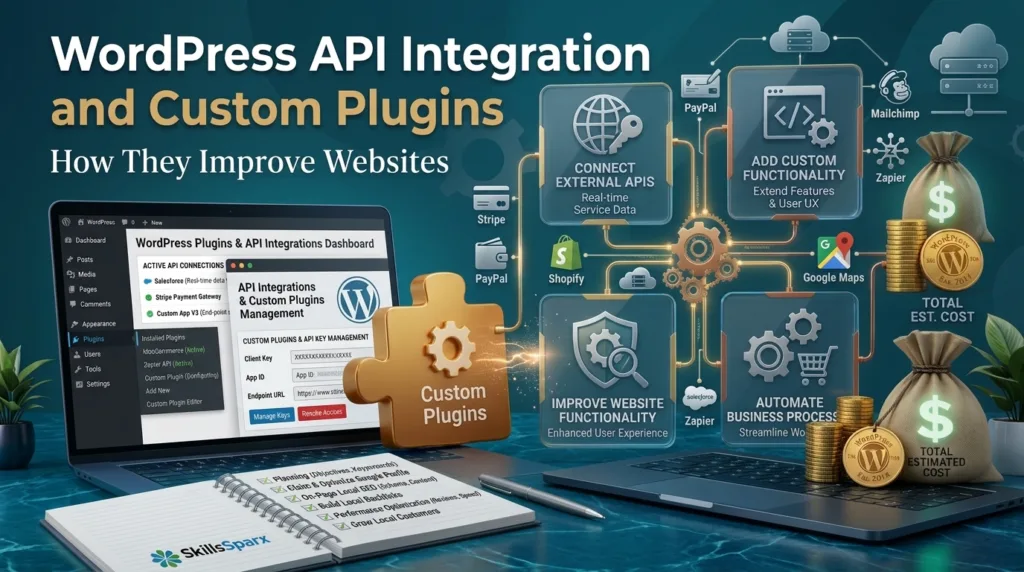
WordPress is one of the most widely used platforms for building websites, online stores, blogs, business websites, and custom digital solutions. As a website grows, businesses often need more functionality than a standard WordPress installation can provide. They may need to connect their website with a CRM, payment system, booking platform, inventory system, email marketing tool, mobile application, or another external service.
This is where WordPress API integration and custom plugins become useful. APIs allow WordPress websites to communicate with external applications and services, while custom plugins can add functionality that is specifically designed for a business.
Instead of installing many plugins that may not exactly match the business requirements, companies can use custom WordPress plugins to create features according to their specific needs. API integrations can then connect those features with other systems.
In this guide, we will explain what WordPress API integration is, how custom plugins work, why businesses use them, their benefits, common use cases, and how they can improve a WordPress website.
What Is WordPress API Integration?
WordPress API integration is the process of connecting a WordPress website with another application, platform, or online service through an API.
API stands for Application Programming Interface. It provides a way for different software systems to communicate with each other.
For example, a business may have a WordPress website and a separate customer management system. Instead of manually transferring customer information from the website to the CRM, an API integration can automatically send the required information from one system to another.
A WordPress website can also communicate with payment gateways, shipping systems, accounting software, email platforms, booking systems, inventory management systems, and many other services.
The exact integration method depends on the external service and its API documentation.
Why Do Businesses Need WordPress API Integration?
A basic WordPress website may be enough for a small project. However, growing businesses often use multiple software systems to manage their operations.
For example, an online store may use:
- WordPress
- WooCommerce
- Payment gateway
- Shipping platform
- Inventory management software
- CRM
- Email marketing platform
- Accounting software
Managing these systems separately can create unnecessary manual work.
With the right API integrations, information can move between systems automatically.
For example, when a customer places an order, the website could send order information to another system. The external system could process that information and return a response to WordPress.
This can save time and reduce repetitive tasks.
Businesses can explore our web development services to build professional WordPress websites with custom functionality and integrations.
How Does WordPress API Integration Work?
The basic process of an API integration involves communication between two or more systems.
A WordPress website sends a request to an external API. The external service processes that request and returns a response.
The response may contain information such as:
- Customer data
- Product information
- Order status
- Payment status
- Shipping information
- Booking details
- Inventory information
The WordPress website can then use that information according to the requirements of the project.
For example, an ecommerce website could request inventory information from an external system and display updated stock information on the website.
The exact technical implementation depends on the API, authentication method, data format, and functionality required.
A successful WordPress website development process should consider API requirements, integrations, security, testing, and future maintenance.
What Is a WordPress API Integration Plugin?
A WordPress API integration plugin is a plugin designed to connect WordPress with an external API or service.
Plugins can make integrations easier because they can provide pre-built functionality.
For example, a plugin may connect WordPress with a particular payment service or marketing platform.
However, ready-made plugins do not always provide every feature a business needs.
A plugin may support basic integration but lack advanced customization options.
In such situations, developers may create a custom solution.
What Are Custom WordPress Plugins?
Custom WordPress plugins are plugins developed specifically for a particular website or business requirement.
Unlike a general-purpose plugin, a custom plugin can be designed around the exact functionality required by the website.
For example, a company may need a custom customer dashboard. A standard plugin may provide some dashboard features, but it may not match the company’s workflow.
You can explore our web development portfolio to see examples of websites and custom development projects.
A developer can create a custom plugin that includes only the required functionality.
Custom plugins can also be designed to communicate with external APIs.
This makes them useful for websites that require specialized integrations or business processes.
How Custom Plugins Improve WordPress Websites
If you need help with your project, you can contact our team to discuss your WordPress API integration requirements.
Custom plugins can improve a WordPress website in several ways.
1. They Add Business-Specific Functionality
Every business has different requirements.
A standard plugin is designed for a broad group of users. A custom plugin can be designed for one specific business.
For example, a company may need:
- Custom quotation forms
- Customer dashboards
- Membership functionality
- Special product calculations
- Custom order management
- Internal reporting
- API connections
- Automated workflows
A custom plugin can be developed around these requirements.
2. They Reduce Unnecessary Features
Many ready-made plugins contain features that a business does not need.
Installing too many unnecessary features can make website management more complicated.
A custom plugin can focus on the functionality that the business actually requires.
This can make the solution easier to understand and maintain.
3. They Can Connect Multiple Systems
One of the biggest benefits of custom plugins is their ability to work with external systems.
A custom plugin can be developed to communicate with an API according to the requirements of the project.
For example, a business may need to connect WordPress with a CRM.
The custom plugin can handle the required data exchange between the website and the CRM.
4. They Provide Greater Control
With a custom solution, developers have greater control over how the functionality works.
The business can define:
- What information is collected
- Where information is stored
- Which API is contacted
- When data is sent
- What happens after a response
- How information is displayed
This level of control can be important for specialized websites.
Common Uses of WordPress API Integration
There are many situations where API integration can be useful.
CRM Integration
A business can connect its WordPress website with a CRM system.
For example, when a visitor submits a contact form, selected information can potentially be sent to the CRM.
This can reduce manual data entry.
Payment Integration
Businesses can connect websites with payment services.
The website can send payment information through the appropriate integration and receive a response about the transaction.
Payment integrations must be implemented carefully because payment data can involve security and compliance requirements.
Shipping Integration
WooCommerce websites can integrate with shipping services.
When an order is created, the required order information can be transferred to a shipping system.
The shipping system can then provide tracking or shipping information.
Inventory Integration
An ecommerce website may need to synchronize product stock with an external inventory system.
API integration can help exchange inventory information between systems.
Email Marketing Integration
A WordPress website can connect with an email marketing platform.
When users subscribe to a newsletter, their information can potentially be transferred to the marketing platform.
Booking Integration
Businesses such as consultants, agencies, clinics, hotels, and service providers may need booking systems.
An API integration can connect the website with an external booking platform.
Accounting Integration
An ecommerce business may use separate accounting software.
API integration can help transfer selected order or transaction information between the website and accounting system.
WordPress REST API and Third-Party APIs
WordPress provides a REST API that allows applications to communicate with WordPress using HTTP requests.
The REST API can be useful when another application needs to interact with WordPress data.
For example, a mobile application may need to communicate with a WordPress website.
The application can use the appropriate API endpoints to request or send information.
Third-party APIs work differently depending on the external service.
Each service may have its own:
- API endpoints
- Authentication requirements
- Request methods
- Data formats
- Rate limits
- Documentation
Therefore, developers should review the API documentation before implementing an integration.
Custom Plugins vs Ready-Made Plugins
Businesses often have to decide whether they should use a ready-made plugin or develop a custom plugin.
Ready-Made Plugins
Ready-made plugins are useful when the required functionality is common.
They can often be installed and configured quickly.
They may also have documentation and community support.
However, they may include unnecessary features or limitations.
Custom Plugins
Custom plugins are better suited to unique requirements.
They can be developed according to the exact needs of a business.
However, custom development usually requires more planning, development time, testing, and maintenance.
The right choice depends on the project’s requirements and budget.
When Should You Use a Custom Plugin?
A custom plugin may be appropriate when an existing plugin cannot provide the required functionality.
Consider custom development when:
- Your business has unique requirements.
- Existing plugins do not provide the required features.
- You need a specific API integration.
- You need a custom workflow.
- You need specialized data processing.
- You need a custom dashboard.
- You need to connect multiple systems.
- You want greater control over the functionality.
Before developing a custom plugin, it is useful to evaluate available solutions first.
Sometimes an existing plugin may already provide the required functionality.
How Custom Plugin Development Works
A professional custom plugin development process normally starts with understanding the business requirement.
Step 1: Requirement Analysis
The developer identifies what the website needs to accomplish.
This includes understanding the business process, users, data, and required integrations.
Step 2: Technical Planning
The developer determines how the functionality will be implemented.
If an external API is involved, the developer reviews its documentation and authentication requirements.
Step 3: Plugin Development
The custom plugin is then developed according to the approved requirements.
The plugin should follow appropriate WordPress development practices.
Step 4: API Integration
If an API is required, the developer implements the necessary communication between the systems.
The integration should handle successful responses and possible errors.
Step 5: Testing
The functionality should be tested before being used on a live website.
Testing can include different scenarios, API responses, user actions, and error conditions.
Step 6: Deployment
After testing, the plugin can be deployed to the live website.
The deployment should be performed carefully to avoid disrupting existing website functionality.
Step 7: Maintenance
Custom plugins may require future updates when WordPress, APIs, or external systems change.
Regular maintenance can help keep the integration working correctly.
Benefits of WordPress API Integration
API integration can provide several practical benefits.
Automation
Information can move between systems automatically instead of requiring manual data entry.
Improved Efficiency
Automated workflows can save time for employees.
Better Data Management
Connected systems can help businesses maintain more consistent information.
Better Customer Experience
Integrations can allow websites to provide faster and more useful services.
Reduced Manual Work
Businesses can reduce repetitive tasks by connecting their systems.
Scalable Solutions
A well-planned integration can support business processes as the website grows.
WordPress API Integration for Ecommerce
WooCommerce websites can particularly benefit from API integrations.
An ecommerce store may need to communicate with:
- Payment providers
- Shipping companies
- Inventory systems
- CRM platforms
- Accounting software
- Marketing platforms
- Product databases
For example, a store may receive an order through WooCommerce.
The order information can then be transferred to another system through an API.
The external system can process the information and return a response.
This can help businesses create more connected ecommerce workflows.
API Integration and Website Security
Security should be an important consideration when implementing an API integration.
APIs may handle sensitive information depending on the project.
Developers should carefully manage authentication credentials and API keys.
API keys should not be unnecessarily exposed to website visitors.
Access should also be limited to the required functionality.
Input validation and appropriate error handling are important parts of secure development.
Businesses should also review the security practices recommended by the API provider.
A custom plugin should be tested carefully before being used on a production website.
API Integration Without a Plugin
In some cases, developers may implement an API integration without creating a separate WordPress plugin.
However, this depends on the project.
For a simple integration, another implementation approach may be possible.
For larger or reusable functionality, a custom plugin can provide a cleaner structure.
The decision should be based on maintainability, security, functionality, and project requirements.
How to Choose the Right WordPress API Integration Solution
Before selecting an integration method, businesses should clearly define their requirements.
Ask questions such as:
- Which systems need to communicate?
- What data needs to be transferred?
- How often should information be synchronized?
- Does the external service provide an API?
- What authentication method is required?
- Does a suitable plugin already exist?
- Does the project require custom functionality?
- How will the integration be maintained?
Answering these questions can help determine whether a ready-made plugin, API integration, or custom plugin is the most suitable solution.
Common WordPress API Integration Mistakes
Businesses should avoid several common mistakes when implementing integrations.
Choosing a Plugin Without Checking Requirements
A plugin may look useful but fail to support the exact functionality required.
Ignoring API Documentation
Developers should understand the API before implementing an integration.
Poor Error Handling
An integration should be able to handle failed requests and unexpected responses.
Exposing API Credentials
Sensitive credentials should be protected.
Skipping Testing
An integration should be tested before being used on a live website.
Not Planning for Maintenance
External APIs can change over time.
A website may need updates when an API changes.
How Custom Plugins and APIs Support Business Growth
A website should not only look professional. It should also support business processes.
Custom plugins and APIs can help turn a basic WordPress website into a more specialized business platform.
For example, a company may start with a simple website.
As the business grows, it may need:
- Customer management
- Online payments
- Automated notifications
- Booking systems
- Ecommerce functionality
- Custom dashboards
- Inventory management
- Third-party integrations
Instead of replacing the entire website, businesses can extend its functionality through custom development and integrations.
This can make WordPress more adaptable to changing business requirements.
What Should Businesses Consider Before Custom Development?
Custom development should start with a clear understanding of the business problem.
Businesses should not develop a custom plugin simply because it sounds more advanced.
First, identify the actual problem.
Then determine whether an existing solution can solve it.
If existing solutions do not meet the requirements, custom development may be appropriate.
Businesses should also consider development cost, timeline, security, maintenance, scalability, and future requirements.
A well-planned solution can provide better long-term value than simply adding multiple plugins without a clear strategy.
Why Professional Development Matters
API integrations and custom plugins can involve technical requirements that are difficult to manage without development experience.
A professional developer can analyze the requirements and select an appropriate implementation approach.
They can also consider:
- Website architecture
- API documentation
- Authentication
- Security
- Performance
- Error handling
- Testing
- Maintenance
For businesses that depend on their website for leads, sales, or customer management, reliable implementation is especially important.
If you need help with a WordPress project, you can explore our web development services to find solutions for business-specific website requirements.
Custom Plugins and APIs for Different Business Types
Different businesses can use custom plugins and APIs in different ways.
Service Businesses
Service businesses can use custom forms, booking integrations, CRM connections, and customer dashboards.
Ecommerce Businesses
Online stores can integrate payment, shipping, inventory, and marketing systems.
Agencies
Agencies can develop custom client dashboards, reporting systems, and integrations.
Membership Websites
Membership platforms may require custom user management and payment integrations.
Educational Websites
Educational websites can integrate external learning systems, payment platforms, and student management systems.
The exact solution should depend on the business model and technical requirements.
How to Improve an Existing WordPress Website With APIs
If you already have a WordPress website, you do not necessarily need to rebuild it to add new functionality.
A developer can first review the existing website and identify opportunities for improvement.
The process may include:
- Understanding the existing website.
- Identifying business requirements.
- Reviewing current plugins.
- Identifying required external systems.
- Checking available APIs.
- Planning the integration.
- Developing the required functionality.
- Testing the solution.
- Deploying it carefully.
- Maintaining it after launch.
This approach can help businesses improve their existing WordPress website while preserving useful functionality.
How to Keep Custom Plugins Maintainable
Custom development should be planned for the long term.
Developers should document important functionality and dependencies.
The plugin should be structured so future developers can understand how it works.
Businesses should also keep track of external APIs used by the website.
If an API provider changes its system, the integration may need to be updated.
Regular website backups are also important before making major changes.
Testing should be repeated after significant WordPress, plugin, or API updates.
Conclusion
WordPress API integration can help websites communicate with external applications and services, while custom WordPress plugins can provide functionality designed around specific business requirements.
Businesses can use API integrations for CRM systems, payment providers, shipping platforms, inventory systems, booking tools, marketing platforms, accounting software, and many other services.
Custom plugins can be useful when ready-made plugins cannot provide the required functionality.
They can give businesses greater control over workflows, data handling, and website functionality.
However, custom development should always begin with clear requirements and proper planning.
A business should first determine whether an existing solution is sufficient. If it is not, a custom plugin or API integration may provide a more suitable solution.
Learn more about SkillsSparx and our approach to developing professional WordPress websites and custom solutions.
With proper development, testing, security, and maintenance, custom plugins and APIs can help WordPress websites become more flexible, connected, and useful for growing businesses.
At SkillsSparx, businesses can get professional WordPress solutions designed around their specific website requirements.
If you need a custom WordPress solution, you can contact our team to discuss your project requirements.
For businesses that need specialized functionality, custom plugins can provide features designed around specific website requirements.
Frequently Asked Questions
What Is WordPress API Integration?
WordPress API integration is the process of connecting a WordPress website with an external application or service through an API. It allows different systems to exchange information and work together.
What Is a WordPress API?
A WordPress API provides a way for applications and systems to communicate with WordPress. The WordPress REST API, for example, can allow external applications to interact with WordPress data.
What Are Custom WordPress Plugins?
Custom WordPress plugins are plugins developed specifically for the requirements of a particular website or business. They can provide functionality that is not available through standard plugins.
Businesses with unique requirements can use custom plugins to add functionality designed specifically for their WordPress website.
Why Use Custom WordPress Plugins?
Businesses may use custom WordPress plugins when existing plugins cannot provide the required functionality. Custom plugins can provide greater control and can be designed around specific workflows.
What Is a WordPress API Integration Plugin?
A WordPress API integration plugin is a plugin that connects WordPress with an external API or service. It can provide pre-built functionality for exchanging information between systems.
Can WordPress Connect to Third-Party APIs?
Yes. WordPress websites can connect with third-party APIs when the external service provides an appropriate API and the integration is implemented correctly.
How Do I Integrate a Third-Party API in WordPress Without a Plugin?
A developer can implement a third-party API directly through custom development when appropriate. The exact approach depends on the API, authentication method, required functionality, and website architecture.
Are Custom Plugins Better Than Ready-Made Plugins?
Not always. Ready-made plugins can be useful for common requirements. Custom plugins are more suitable when a business has unique requirements that existing plugins cannot properly handle.
Can WooCommerce Use API Integrations?
Yes. WooCommerce websites can use API integrations for services such as payments, shipping, inventory, CRM systems, accounting platforms, and other business tools.
Do Custom Plugins Need Maintenance?
Yes. Custom plugins may require maintenance when WordPress, external APIs, hosting environments, or other connected systems change. Regular testing and updates can help maintain compatibility.