Last updated: October 2026
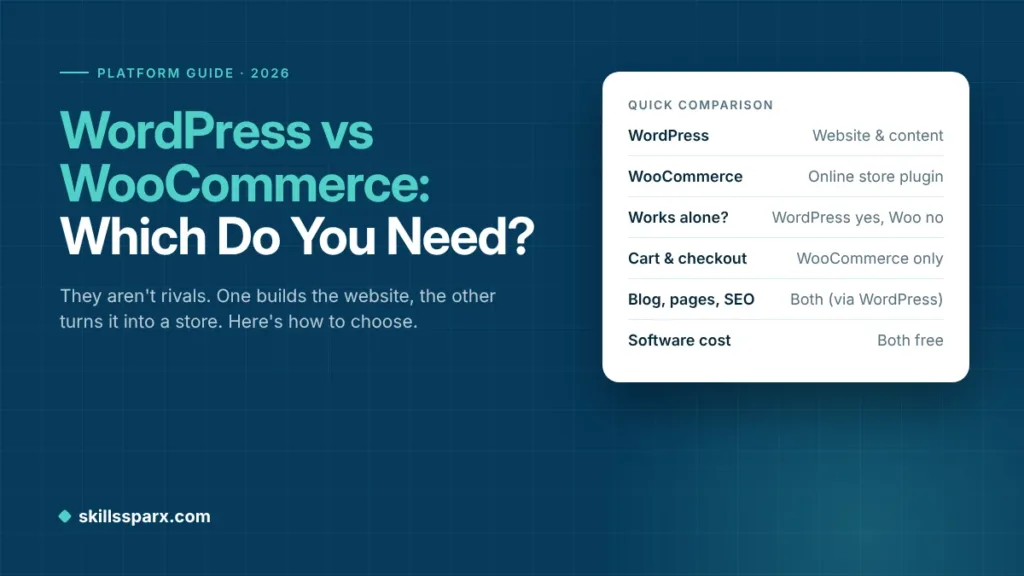
Quick answer: WordPress vs WooCommerce isn’t really an either/or choice. WordPress is the platform that builds and manages your website. WooCommerce is a free plugin that adds an online store to WordPress: products, cart, checkout, payments and orders. If you only need a business website, WordPress is enough. If you want people to buy directly on your site, you need WordPress with WooCommerce.
This is one of the most common questions we get from new clients, and it’s an easy one to mix up. The names get used side by side, so many people assume they’re competing platforms. They’re not. One sits on top of the other.
Below we’ll explain what each one does, how they differ, what each costs to run, and a simple way to decide which setup your business actually needs.
Key takeaways
- WordPress is the website platform. WooCommerce is an eCommerce plugin that runs inside it.
- WooCommerce cannot work without WordPress.
- Service businesses usually need WordPress only. Product sellers need WordPress + WooCommerce.
- Both are free software. Your costs come from hosting, design, extensions and maintenance.
- A store needs more management and better hosting than a normal website.
What is WordPress?
WordPress is a content management system (CMS). It lets you create pages, publish blog posts, upload images, build menus and extend your site with themes and plugins, all without writing code. It’s the foundation for business websites, blogs, portfolios, membership sites and more.
If your website’s job is to explain your services, show your work, publish articles and bring in enquiries, WordPress on its own does all of that well. You can learn more in our guide to WordPress website development.
What is WooCommerce?
WooCommerce is a free, open-source eCommerce plugin built for WordPress. Install it, and your WordPress site gains everything a shop needs:
- Products with prices, photos, categories and variations (size, colour)
- Shopping cart and checkout
- Payment gateways and order management
- Shipping zones, rates and tax settings
- Customer accounts, coupons and stock management
WordPress vs WooCommerce: the key differences
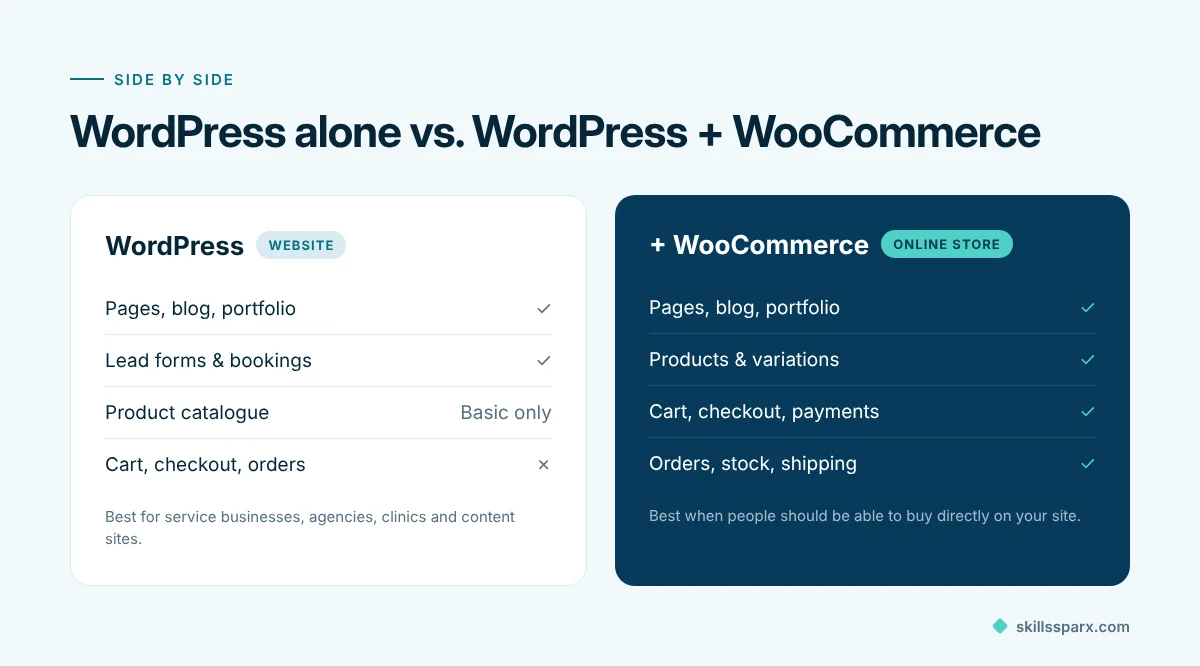
| Feature | WordPress | WordPress + WooCommerce |
|---|---|---|
| Main purpose | Website and content management | Website plus online store |
| Pages, blog, portfolio | Yes | Yes |
| Lead forms and bookings | Yes (with plugins) | Yes |
| Products and variations | No | Yes |
| Cart and checkout | No | Yes |
| Online payments for products | No | Yes |
| Orders, stock and shipping | No | Yes |
| Works on its own | Yes | WooCommerce needs WordPress |
A simple way to remember it: WordPress is the building, WooCommerce is the shop fitting. You can have a building without a shop, but you can’t have the shop without the building.
WordPress Ecommerce vs WooCommerce: Is There a Difference?
Many people search for “WordPress ecommerce vs WooCommerce” as if they were two different platforms. They are not. WordPress has no online store built in, so “WordPress ecommerce” almost always means WordPress with an ecommerce plugin, and WooCommerce is by far the most popular one.
So the real choice is not WordPress or WooCommerce. It is whether to add WooCommerce to your WordPress site or use a hosted platform instead. If you are weighing that up, see our WooCommerce vs Shopify comparison, check the full WooCommerce website cost, or read what goes into WooCommerce development.
When WordPress alone is enough
Choose a standard WordPress website if:
- You sell services, not products. Think agencies, consultants, clinics, law firms or builders
- Your goal is enquiries, calls, WhatsApp messages or bookings
- You want to publish blog content and rank on Google
- You need a portfolio or company website
Adding WooCommerce to a site that doesn’t sell anything just adds extra code, updates and maintenance for no benefit.
When you need WordPress + WooCommerce
Add WooCommerce when:
- You want customers to buy products directly on your website
- You need product listings with variations, stock and prices
- You need a proper cart, checkout and online payments
- You want to manage orders, shipping and customer accounts in one place
Planning a store? Our guide to WooCommerce development explains how a store is planned and built.
WordPress vs WooCommerce: which is easier to manage?
A WordPress business site is fairly light: update pages, publish posts, keep plugins updated. A WooCommerce store has more moving parts: products, prices, stock, orders, payments, shipping, taxes and customer emails. That doesn’t make WooCommerce hard, but it does mean you should plan time, or a maintenance plan, for running the store.
Cost: WordPress vs WooCommerce
Both are free to install. What you pay for is everything around them:
| Cost | WordPress site | WooCommerce store |
|---|---|---|
| Domain and hosting | Basic hosting is usually fine | Faster, more reliable hosting recommended |
| Design and development | Lower | Higher: shop, product, cart and checkout pages |
| Plugins / extensions | A few, often free | Often several paid extensions |
| Payment fees | None | A percentage of each sale |
| Maintenance | Lighter | More involved |
For real numbers, see our WordPress website cost guide and WooCommerce website cost guide.
WordPress vs WooCommerce for SEO and hosting
SEO: because WooCommerce runs on WordPress, you get the same SEO strengths on both: control over titles, URLs, headings and content. Stores also get product and category pages that can rank, and product schema that can show prices and ratings in search results. Neither platform ranks you by itself, though. Content, speed and structure still decide that.
Hosting: a store handles carts, checkouts, customer accounts and a growing database. Cheap shared hosting that’s fine for a five-page site can struggle with a busy store, and a slow checkout costs sales.
What about Shopify?
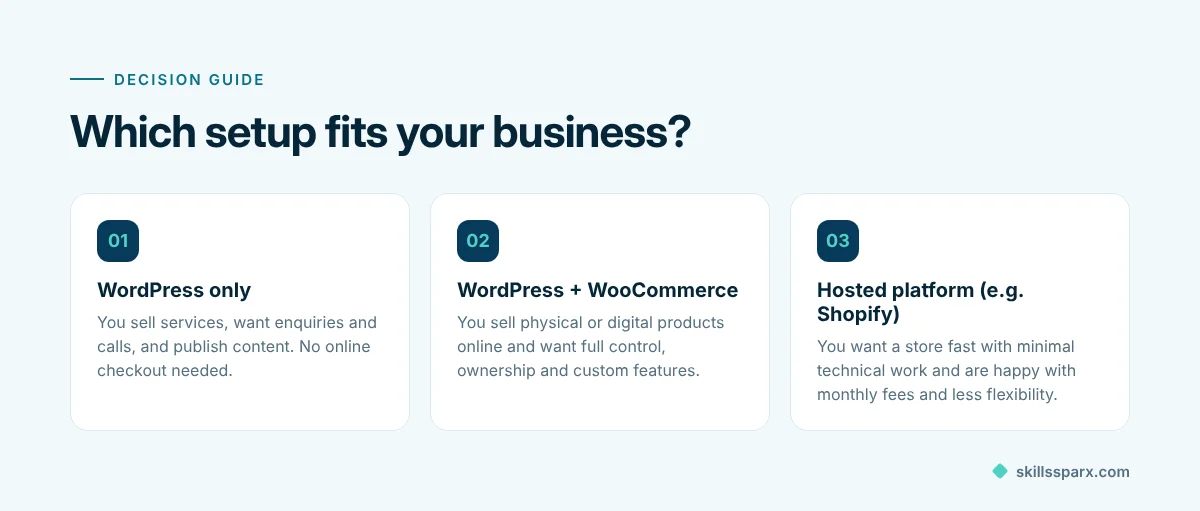
Shopify is a separate, hosted eCommerce platform. It’s quick to start and needs less technical work, but you pay monthly fees, rely on paid apps for many features and have less control. WooCommerce gives you full ownership and flexibility, but you’re responsible for hosting and maintenance. Neither is “best” for everyone. It depends on your budget, products and how much control you want.
Downsides of WooCommerce to plan for
- Regular updates to WordPress, WooCommerce, the theme and plugins
- Checking compatibility between extensions
- Security, backups and performance tuning
- Hosting upgrades as traffic and orders grow
None of these are deal-breakers. They just need a plan from day one.
Final verdict: WordPress vs WooCommerce
Don’t think of it as WordPress versus WooCommerce. Ask what your website needs to do. If it needs to win enquiries and explain your services, build it on WordPress. If it needs to sell products online, build it on WordPress and add WooCommerce. And if you start with WordPress, you can always add WooCommerce later without rebuilding the whole site.
Not sure which setup fits? Explore our web development services, look through our portfolio, or ask us directly.
Frequently asked questions
What is the difference between WordPress and WooCommerce?
WordPress is a content management system used to build and manage websites. WooCommerce is a plugin that adds online store features to WordPress, such as products, cart, checkout, payments and order management.
Can WooCommerce work without WordPress?
No. WooCommerce is a WordPress plugin, so it needs a WordPress website to run. It adds eCommerce features on top of WordPress rather than replacing it.
Is WooCommerce free?
Yes, the WooCommerce plugin is free. Running a store still costs money for hosting, a domain, a theme, any paid extensions, payment processing fees and development or maintenance.
Do I need WooCommerce for a business website?
Only if you want to sell products online. Service businesses that want enquiries, calls or bookings usually need only WordPress. WooCommerce adds unnecessary complexity if you don’t sell products on your site.
Can I add WooCommerce to my existing WordPress site later?
Yes. You can install WooCommerce on an existing WordPress website at any time. You will need to set up products, payments and shipping, and you may need to adjust the design and hosting for the store.
Is WooCommerce better than Shopify?
It depends. WooCommerce gives you more control, ownership and flexibility with no platform subscription. Shopify is quicker to start with and needs less technical work, but has monthly fees and less freedom to customise.

Discussion